








STELLA, your AI assistant
Guide every learner through your learning ecosystem
Got a question? Stella, our built-in conversational AI,
guides you to the courses on your platform that match what you need.
What is an AI Assistant?
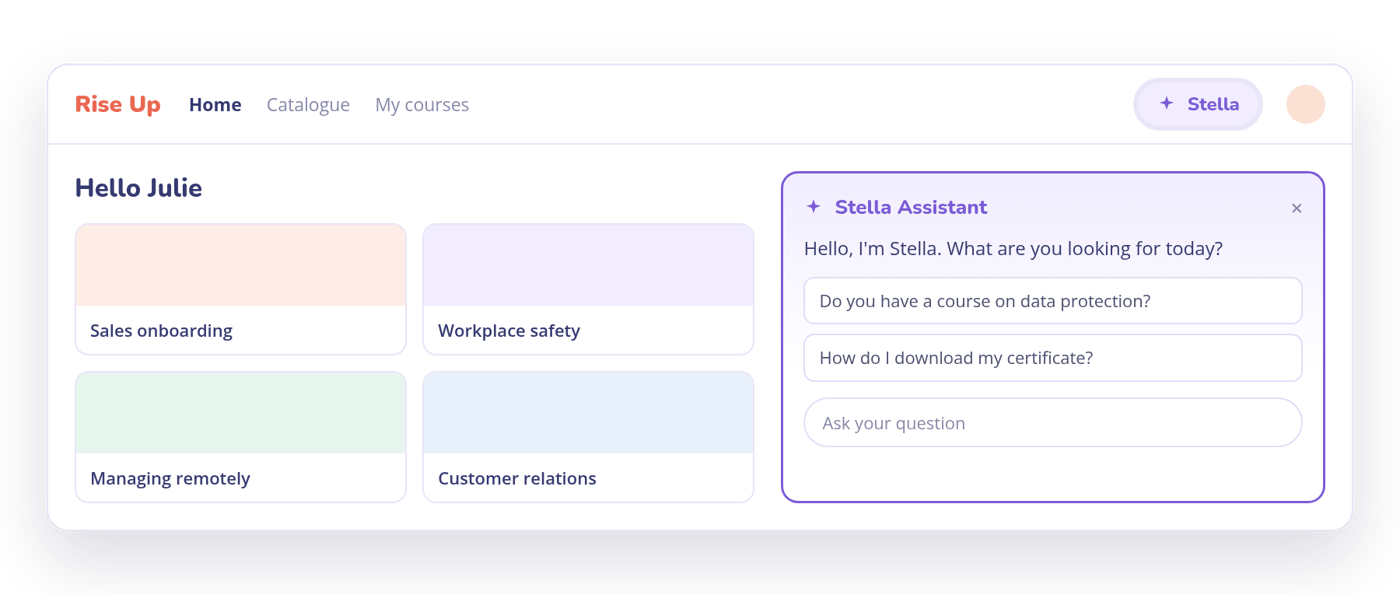
Stella is an AI-powered conversational assistant, available inside the Rise Up learner experience. Its role is to help every learner explore the content on your platform, pointing them to the courses, steps and catalogue items that answer their question.
Stella also helps with everyday platform actions and finds content a learner has already completed. Stella is available from the navigation bar, from a dedicated widget on the homepage and on every page of the learner platform.
What Stella can do
4 ways to help your learners every day
-
Find a course
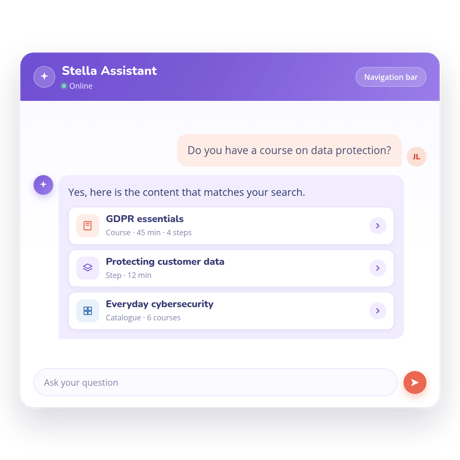
No need to scroll through the whole content catalogue. The learner asks a question, Stella identifies the relevant resources available and points them to the right place on your platform.
-
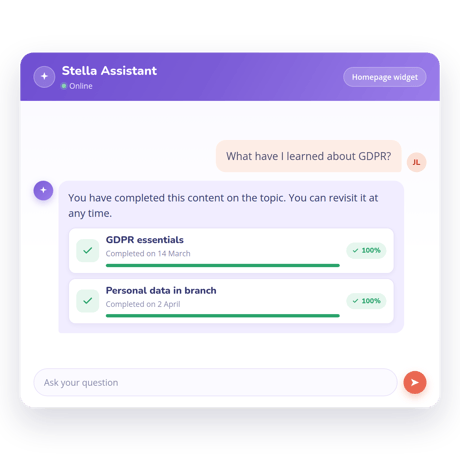
Find what I have already learned
The conversational assistant draws on the learner's progress data to find content they have already completed. Useful for revisiting a point before a meeting or a new role.
-
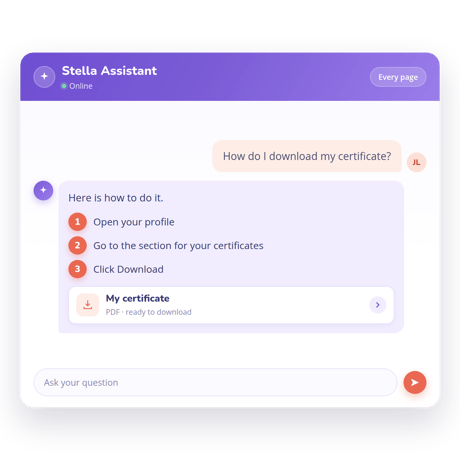
Use the platform
Everyday actions, explained step by step. Downloading a certificate, changing a password, switching the interface language. The learner stays in control and Stella guides each action, drawing on the Rise Up product knowledge base.
-
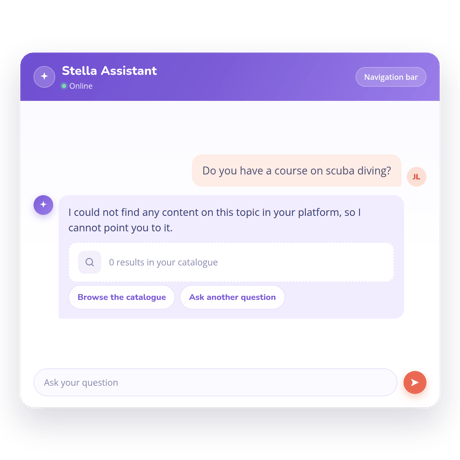
When Stella does not know
If no relevant content exists on the platform, Stella gives a minimal contextual answer and says it cannot point the learner anywhere. No invented answers, no guesswork.
-
3answer sources, all from your platform and from Rise Up
-
0external sources, no internet and no general AI knowledge
-
100%of learners have access
by default
Scope
Three sources. Nothing else.
-
The content on your platform
The courses, steps and catalogue items on your Rise Up platform.
-
The learner's progress
Their own progress data, limited to their own account.
-
The Rise Up knowledge base
Rise Up product documentation, to guide the learner around the platform.
A guide, not a tutor
What Stella does, and what it leaves
to your courses
Stella does:
-
Point learners to the relevant courses
-
Find content they have already completed
-
Explain how to carry out everyday actions
-
Say clearly when it cannot help
Stella does not:
-
Explain concepts or teach the content
-
Search the internet for answers
-
Carry out actions on the learner's behalf
-
Invent or approximate an answer
For administrators
You stay in control, whatever happens
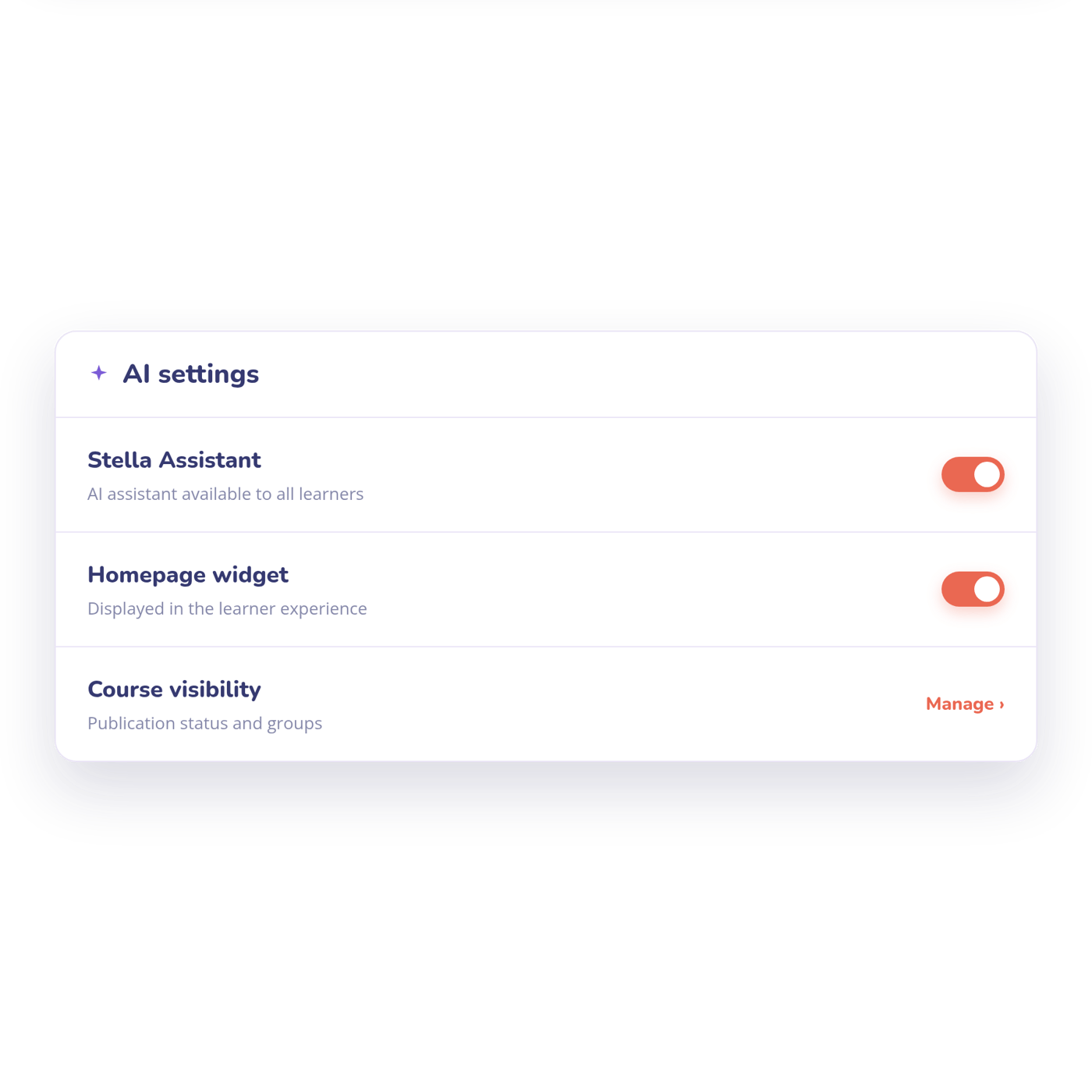
Stella is available by default to all learners. Your administrators decide whether it is switched on and where it sits in the interface. And because Stella only surfaces content that is visible to each learner, your publication and group visibility rules continue to apply.
Everything you need to know about Stella Assistant
-
How is this different from a general-purpose AI chatbot?
Stella has no access to the internet, and none to the general knowledge an AI model picks up during training. Its answers rely solely on the content on your platform, the learner's progress and the Rise Up knowledge base.
-
Does Stella have access to learner data?
Stella has access to the progress data of the learner asking the question, and only to the data on their own account.
-
What language does Stella reply in?
Stella replies in the learner's interface language. If an answer comes back in the wrong language, check the language set in the account settings.
-
Why can't Stella find a course that exists?
Stella only surfaces content that is visible to the learner. Check that the course is published and visible to the groups the learner belongs to.
-
Can Stella be switched off?
Yes. Administrators can switch Stella off from the platform's AI settings and remove the widget from the homepage. Learners can close the chat bubble at any time.